
OpenClaw Security: A Critical Skill for Mitigating Malicious Plugin Risks

Concerns about the security of OpenClaw, particularly regarding functional plugins known as Skills, have prompted a risk alert from the National Computer Network Emergency Response Technical Team/Coordination Center of China (CNCERT/CC). The primary concern centers on the potential for "poisoning" through these Skills, which function similarly to applications for an Agent.

Hand reaching for a glowing 'Skill' icon on a tablet, with a hidden red glow symbolizing malicious intent.
OpenClaw's official Skill store, ClawHub, has previously hosted malicious Skills. One notable instance involved a user, "hightower6eu," who published 314 seemingly legitimate Skills, including tools for crypto analysis, financial tracking, and social media analysis. An official review revealed all of these Skills were malicious, designed to download and execute unknown code on a user's computer post-installation, mimicking the behavior of early computer viruses.

Stylized 'V' icon filtering chaotic red data into clean green data, symbolizing a security vetting process.
Introducing Skill Vetter for Enhanced Security
To counter these threats, a recommended Skill called Skill Vetter is available on ClawHub at https://clawhub.ai/spclaudehome/skill-vetter. This tool acts as a security manager, reviewing other Skills before installation to assess their safety and generate a risk report.

Laptop screen showing 'install skill-vetter' command, illustrating straightforward installation.
Skill Vetter's installation is straightforward through ClawHub. Users can instruct their OpenClaw Agent to install it with a single command. Once installed, users can configure their Agent to require all future Skill installations to be vetted by Skill Vetter.
Real-World Risk Assessment
Skill Vetter provides risk assessments for various Skills. For example, when evaluating an "auto-updater" Skill, it might flag a "medium risk" due to the creation of scheduled tasks, automatic updates, and periodic message pushes, indicating excessive permissions despite potentially benign intent. In such cases, Skill Vetter offers options like installing without auto-updates or switching to manual mode.
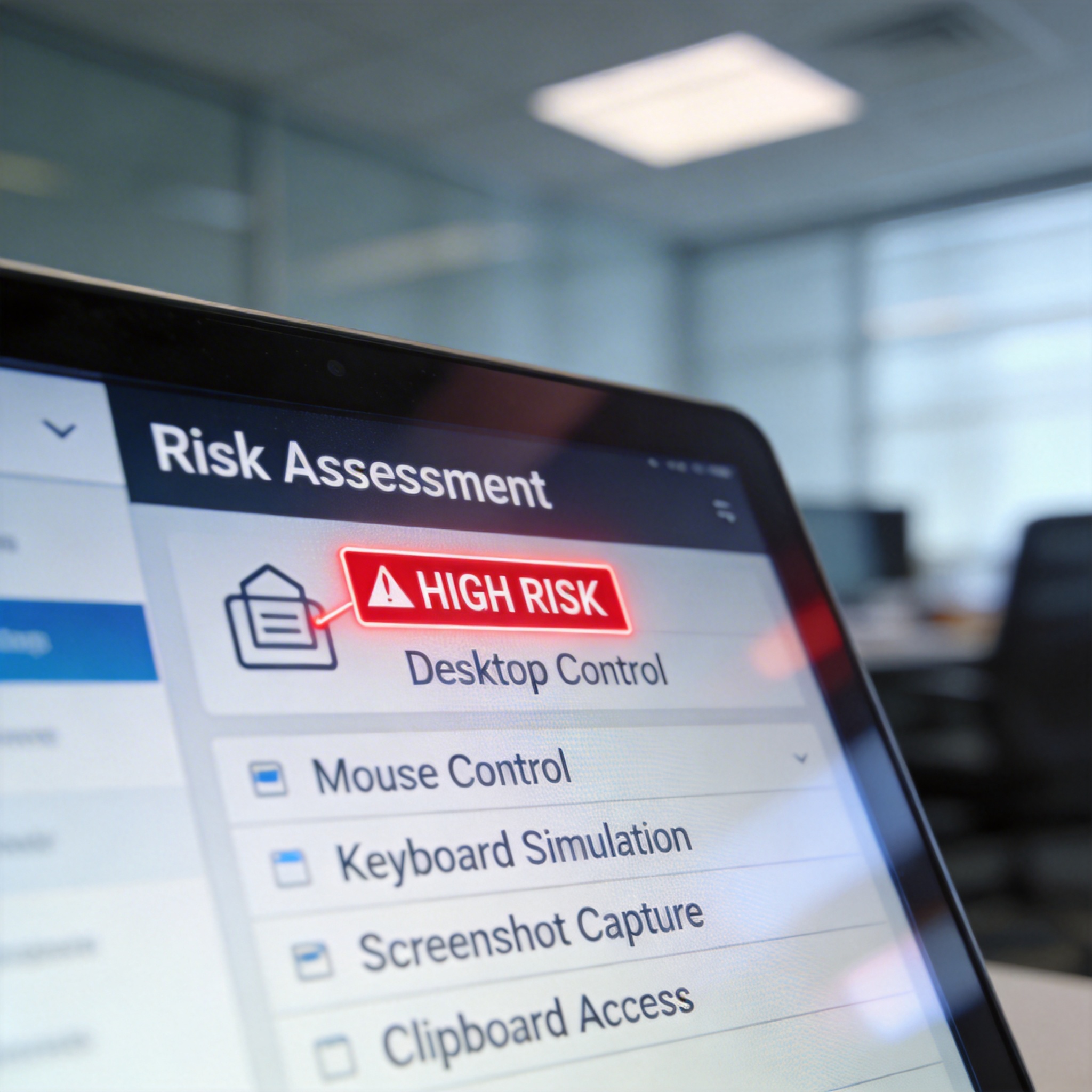
Digital screen showing 'HIGH RISK' for 'Desktop Control' skill, listing broad permissions.
Another example is the "Desktop Control" Skill, which, despite its legitimate purpose, receives a "high risk" rating from Skill Vetter. This is due to its broad capabilities, including mouse control, keyboard simulation, screenshot capture, and clipboard access, all of which pose significant security risks.
Malicious Skills can also originate from third-party mirror sites. A "coding-agent" Skill found on "openclawSkills.best," a site mimicking the official ClawHub, was identified by Skill Vetter as "extreme risk." Its installation instructions contained incomprehensible garbled code that, when deciphered, revealed a command to download and run code from an unknown, suspicious IP address. Skill Vetter itself is an instruction-based Skill that does not execute code, connect to the internet, or access user files, operating much like a background check.
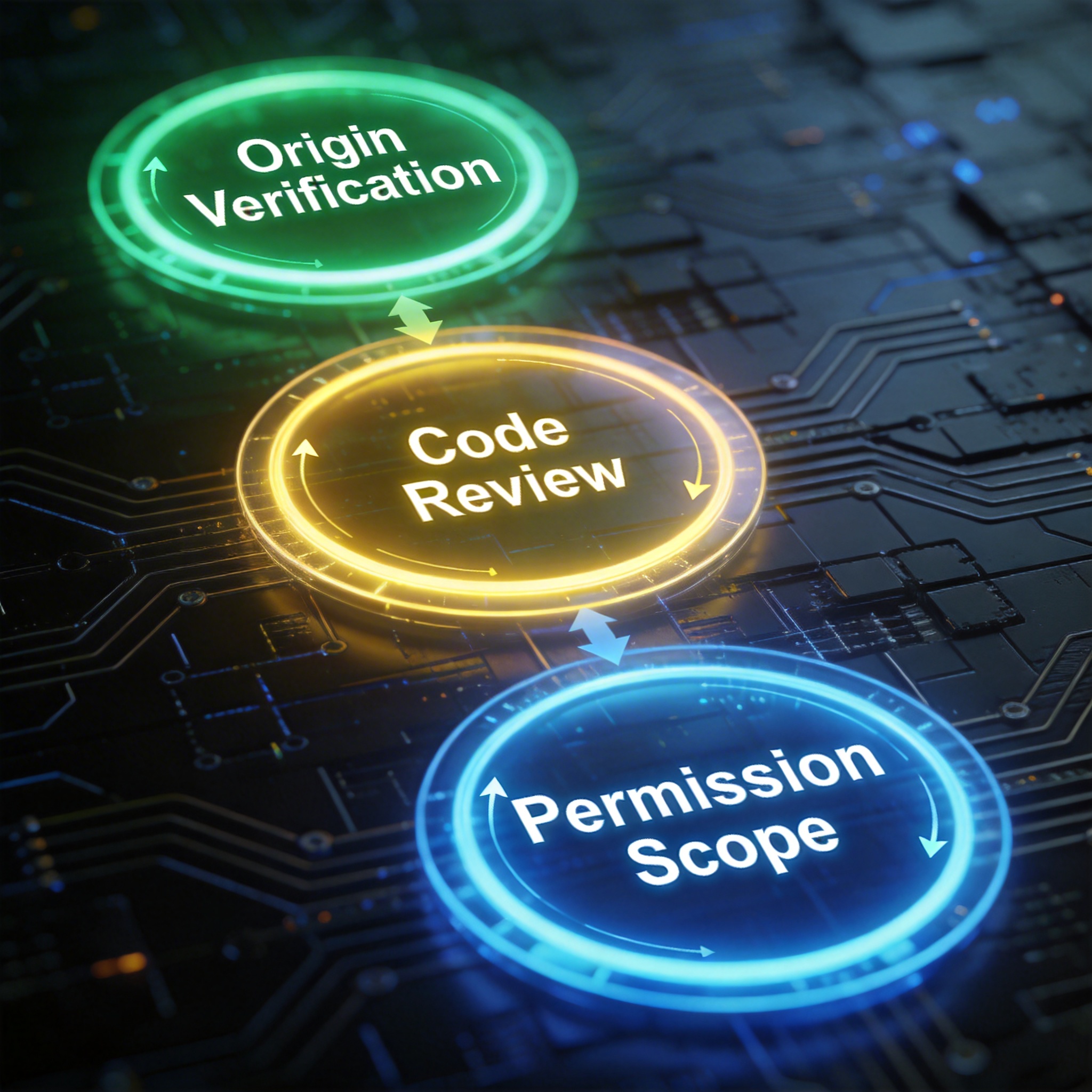
Three glowing digital circles representing 'Origin Verification', 'Code Review', and 'Permission Scope' in a security process.
Skill Vetter's Three-Step Review Process
Skill Vetter employs a three-step mechanism to evaluate Skills:
1. Origin and Author Verification: This step assesses the Skill's source, author reputation, usage statistics, update frequency, and community reviews. Official Skills receive a lower vigilance level, while new or unknown Skills are scrutinized more heavily. This process establishes a trust hierarchy, recognizing that established Skills with a history of use are generally less risky than newly uploaded, unvetted ones.
2. Code Review and Red-Flag Checklist: This is the most critical step, involving a thorough scan of the Skill's files against a checklist of dangerous patterns. These patterns include sending data to unknown servers, requesting sensitive credentials, accessing configuration files (like SSH/AWS), using base64 decoding, executing external input, requesting sudo privileges, and accessing browser cookies. The system also specifically checks for attempts to access Agent memory files (e.g., MEMORY.md, USER.md, SOUL.md), which often contain private user information.
3. Permission Scope Evaluation: After passing the code review, Skill Vetter evaluates the permissions a Skill requests, such as file access, command execution, and internet connectivity. It then determines if these permissions are minimal and necessary for the Skill's stated functionality. For instance, a weather query Skill requesting access to an SSH key would be flagged as an unreasonable overreach.
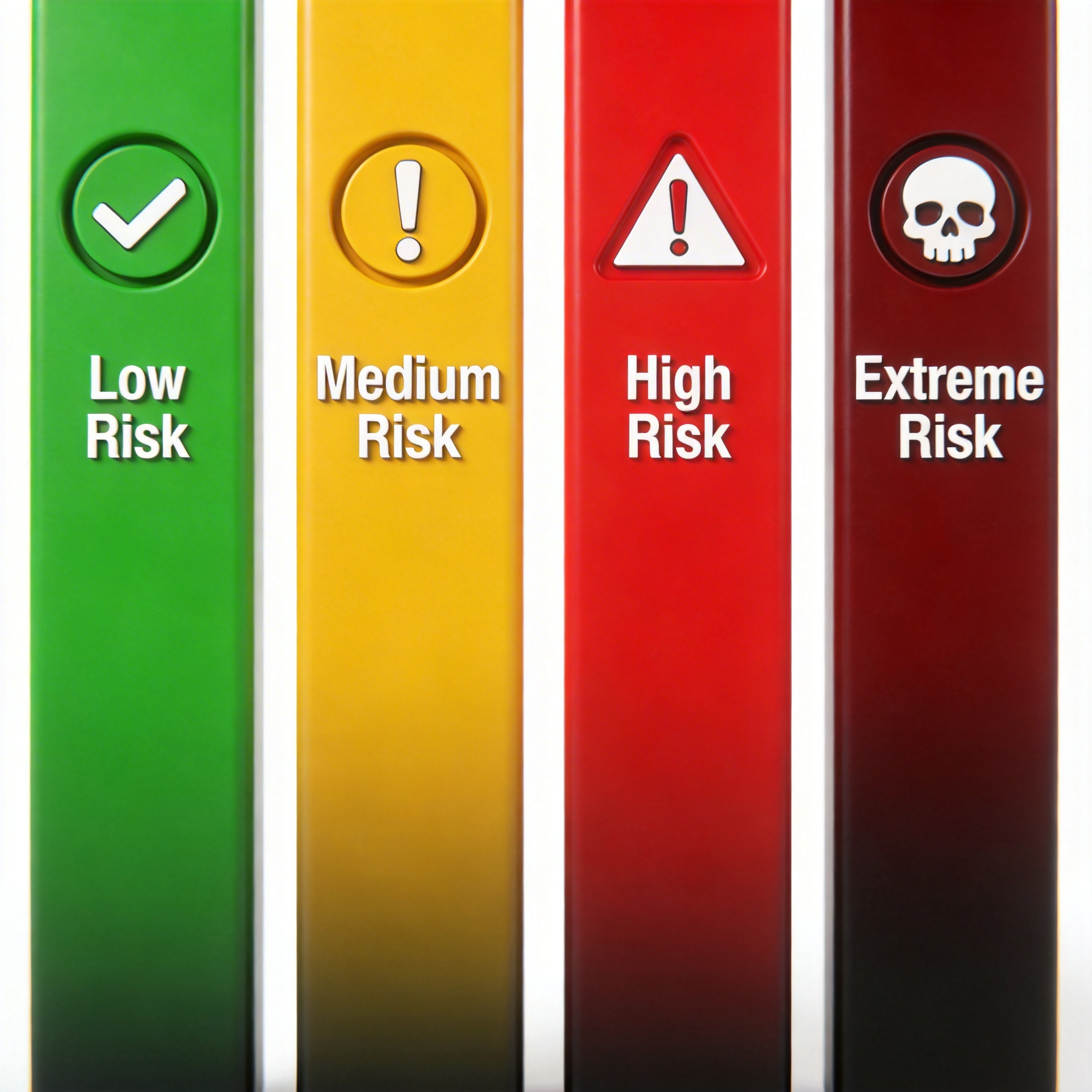
Infographic showing a gradient of risk levels: Low (green), Medium (yellow), High (red), Extreme (dark red).
Risk Level Classifications
Skill Vetter assigns risk levels:
🟢 Low risk: For Skills like note-taking or weather checks.
🟡 Medium risk: For file operations or external API calls.
🔴 High risk: For operations involving account passwords or system settings.
⛔ Extreme risk: For security configurations or root privileges.
Most commonly used Skills are typically low risk. However, any Skill involving login credentials or API keys warrants serious caution. Skill Vetter can also scan already installed Skills, providing a report that highlights those with broad permission scopes, such as access to login status, browser data, or password managers. This allows users to understand the potential actions of their installed Skills and make informed decisions, preventing the blind acceptance of permissions that can lead to security vulnerabilities.
Stay Ahead of the AI Curve
Join 50,000+ subscribers getting the latest AI tools, trends, and tutorials delivered to their inbox weekly.
No spam, unsubscribe at any time.