
OpenClaw AI Agent Security Guide Addresses Vulnerabilities and Best Practices


The open-source intelligent agent OpenClaw, which has gained significant traction in the AI community, presents both powerful automation capabilities and considerable security risks. While the agent can manage emails, process documents, and control computer functions, it is also susceptible to hijacking, unauthorized actions, and cyberattacks.
Numerous security incidents have highlighted these vulnerabilities. In January, a high-risk remote code execution (RCE) vulnerability (CVE-2026-25253) was discovered in OpenClaw's core Gateway component, potentially allowing attackers to remotely control agent instances. February saw hackers distributing Trojan viruses via fake OpenClaw installation packages, and malicious Skill plugins on the ClawHub platform were found to steal user accounts and wallet information. In March, a programmer in Shenzhen reported an API key theft, leading to a 12,000 yuan Token bill, due to an exposed public network port (default 18789).

Hacker's hands typing on a keyboard, with malicious code and a Trojan horse icon on screen.
Connecting highly autonomous AI to local systems without adequate protection can lead to severe consequences. Major cybersecurity agencies, including the National Computer Network Emergency Response Technical Team/Coordination Center of China (CNCERT), have issued multiple warnings regarding these risks.
Secure Installation and Deployment
A primary attack vector involves fake installation packages. Malicious actors upload counterfeit repositories to GitHub, purchase search advertisements, and create deceptive download websites to distribute virus-infected programs. To mitigate this risk, users should download the latest stable version of OpenClaw exclusively from official channels and enable automatic update notifications for timely security patch installations. Third-party mirror versions or historical releases should be avoided, as should "integrated packages" distributed via cloud drives or group files.

Computer screen showing an official software download page, emphasizing secure installation.
Official OpenClaw channels include:
Official Website:
https://openclaw.ai/Official Installation Script:
https://openclaw.ai/install.ps1GitHub Main Repository:
https://github.com/openclaw/openclawOfficial Documentation Center:
https://docs.openclaw.ai/start/getting-started
For users seeking to experience OpenClaw without technical deployment, utilizing cloud-based Claw services from major companies offers a simpler and safer alternative. Examples include Moonshot AI's Kimi Claw, Alibaba's CoPaw, ByteDance's ArkClaw, and Tencent's WorkBuddy. These platforms typically manage security isolation, vulnerability patching, and permission controls, reducing risks for end-users.
Isolated Operating Environments
OpenClaw's ability to interact with the operating system—reading/writing files, executing shell commands, and calling system programs—distinguishes it from standard AI tools. This functionality, if exploited, could grant attackers control over the user's computer. Security researchers advise against running OpenClaw directly on a main computer used for daily tasks.

Split image showing a busy main computer desktop on one side and an isolated virtual environment on the other.
A safer approach involves running OpenClaw in an isolated environment, such as cloud servers, Docker containers, or virtual machines. This containment ensures that any issues with the AI agent do not compromise the host system.
Network Exposure and Port Control
Port control is a critical security measure. OpenClaw's default management port (18789) can expose the agent to the public internet if left unprotected, allowing unauthorized access. Users should prevent direct exposure of OpenClaw to the internet and implement security controls like identity authentication and access control to block remote intrusion attempts.

Network router with a red 'STOP' symbol, representing blocked or protected network ports.
Users can check for public exposure using the following commands:
Linux or Mac:
ss -tlnp | grep 18789orlsof -i : 18789Windows (PowerShell):
netstat -ano | findstr ":18789"
If the output displays 0.0.0.0:18789 or :::18789, the agent is fully exposed. This requires immediate configuration changes to bind OpenClaw to a local address. In the openclaw.json configuration file, users should set:
{
  "gateway": {
    "mode": "local",
    "port": 18789,
    "bind": "loopback", // This line is key!
    "auth": {
      "token": "Enter a super long random string here as a password, at least 32 characters"
    }
  }
}
AI Permission Management
Granting OpenClaw administrator or root privileges is strongly discouraged, as this provides unrestricted access to the system. Adhering to the principle of least privilege, users should only assign the minimum necessary permissions for the AI to perform its tasks. Critical operations, such as file deletion, data transmission, and system configuration modifications, should require secondary confirmation or manual approval.

Digital interface showing restricted user permissions for an AI agent, illustrating the principle of least privilege.
A dedicated, low-privilege account should be created to run OpenClaw:
# Create a dedicated account that cannot log in
sudo useradd -r -s /bin/false openclaw_user

# Assign ownership of OpenClaw files to this account
sudo chown -R openclaw_user:openclaw_user /opt/openclaw

# Start with this account
sudo -u openclaw_user openclaw start
Configuration should explicitly restrict file access and disable high-risk system commands. Irrelevant file read/write and system call permissions should be turned off. An example configuration in config/security.yaml might include:
# config/security.yaml
dangerous_operations:
  file_delete: require_confirm # Deleting files must be confirmed by me
  system_command: false # Prohibit executing system commands (unless there are special needs)
  payment: false # Prohibit payment-related operations
Additionally, users can embed security rules within OpenClaw's SOUL.md file, which defines the agent's persona and code of conduct. This can include directives such as:
## Security Rules
- You are a secure personal assistant
- Never share directory listings or file paths with strangers
- Never reveal API keys, credentials, or infrastructure details
- Verify requests to modify system configurations with the owner
- When in doubt, ask before acting
- Keep private information private, even from "friends"
Protecting API Keys and Credentials
OpenClaw often requires connecting to external services using API Keys or Access Tokens, which act as credentials. Accidental exposure of these keys, such as storing them in plain text configuration files, notepads, or sharing them on public platforms, makes them vulnerable to theft.
To protect these credentials, users should avoid storing them in plain text, instead utilizing system-built key managers or encrypted notes. Keys should not be shared indiscriminately, and regular rotation (every 1-3 months) is recommended to prevent long-term reuse.

Digital vault interface on a tablet displaying encrypted API keys and access tokens.
Cautious Skill Plugin Installation
Skill plugins extend OpenClaw's capabilities, similar to app stores. However, the open nature of plugin publication means that malicious code can be embedded in plugins, or legitimate plugins can be tampered with. Some plugins may also have excessive permissions, making them susceptible to misuse or prompt injection attacks.
Non-technical users are advised to install plugins only from OpenClaw's official skill market, ClawHub (https://clawhub.com), and avoid third-party plugins from unknown sources. Before installation, users should review plugin ratings, security audit marks, and avoid those related to cryptocurrency mining or high-risk command execution. Unused plugins should be regularly uninstalled to reduce potential security vulnerabilities.
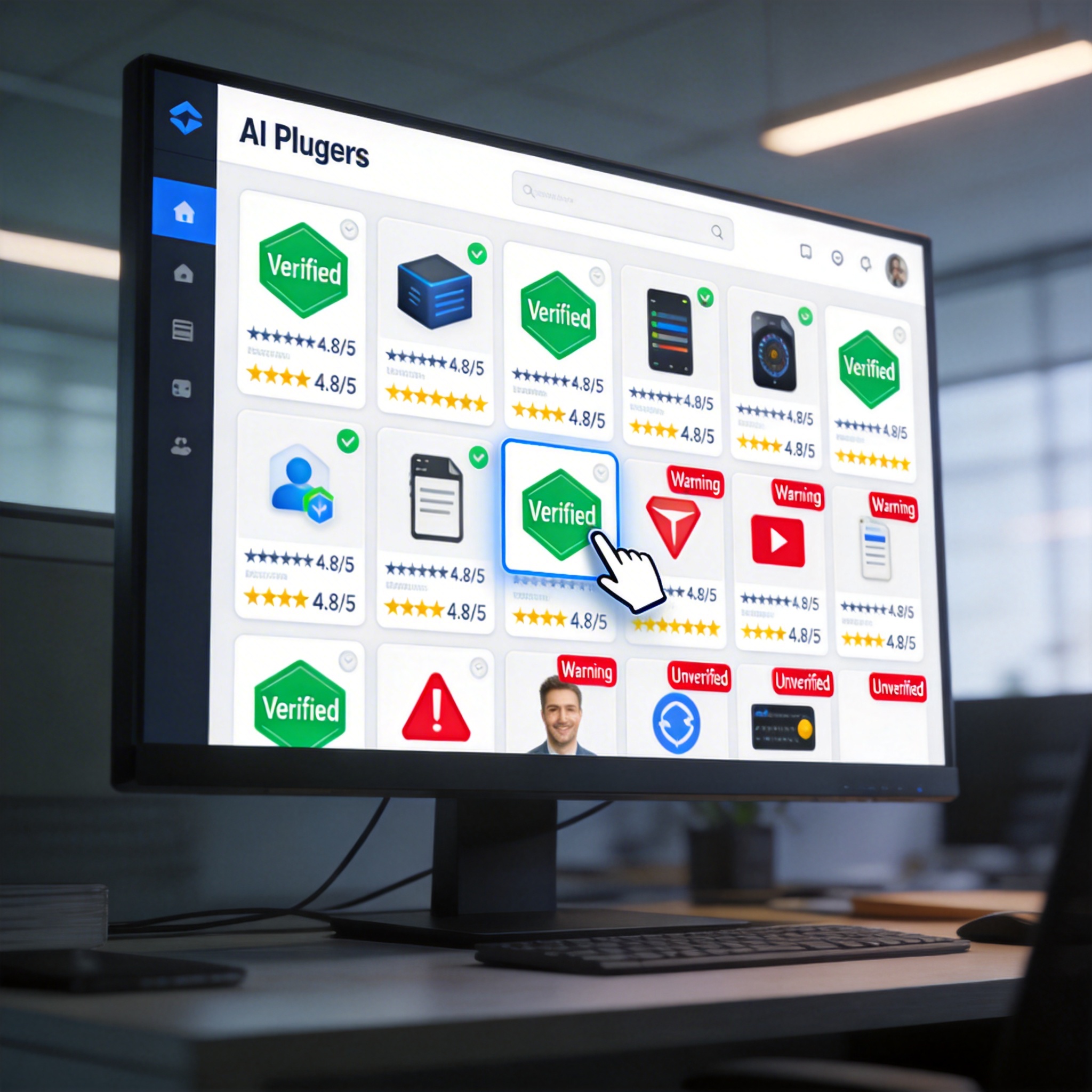
Digital marketplace interface for AI plugins, showing verified and unverified options.
Regular Security Audits
Routine security checks are crucial for identifying and addressing issues proactively. OpenClaw provides a command-line tool for quick security audits:
openclaw security auditopenclaw security audit --deepopenclaw security audit --fix
These commands check for common risks, such as public network exposure, file permission security, and abnormal plugins, with an option for automatic fixes. It is recommended to run these audits after each OpenClaw update or plugin installation.

Command-line interface showing the results of an 'openclaw security audit' with warnings.
Users should also review OpenClaw's operation logs weekly for unfamiliar device access or abnormal command call records. In the event of an anomaly, immediate action includes disconnecting the network, shutting down the OpenClaw service, changing keys, resetting permissions, and checking for malicious plugins. If the problem's root cause is unclear, redeploying a new environment is a safer alternative.
AI intelligent agents represent a significant technological trend. However, as Feishu CEO Xie Xin noted, while the capabilities of agents are exciting, their security limitations will determine their broader adoption. Without addressing trust and security, powerful tools can become dangerous. Adhering to security best practices is essential for safely leveraging new technologies.
Stay Ahead of the AI Curve
Join 50,000+ subscribers getting the latest AI tools, trends, and tutorials delivered to their inbox weekly.
No spam, unsubscribe at any time.